Use the Demo VM for a Quick Start
A quick start guide designed for the pre-configured Ubuntu VM image. All dependencies (Ryu, Mininet, NDT Kernel) are pre-installed. Users can skip installation steps and directly run the system.
Ubuntu VM Image Installation Manual
About this Environment
This environment is a pre-configured Ubuntu virtual machine designed to help you get started with NDTwin immediately. It eliminates the need for manual setup by providing a ready-to-use system with all necessary dependencies pre-installed and configured.
Included in this image:
- Operating System: Ubuntu (Pre-configured)
- Core Components: NDT Kernel, Ryu SDN Controller, Mininet
- Dependencies: All required Python libraries, system tools, and network configurations.
1. Download the Image
| Component | Description | Format | Link |
|---|---|---|---|
| Pre-configured Demo VM | A fully set up virtual environment with all NDTwin components installed. Requires VMware. | .ova | Download |
2. Prerequisites
To run this image, you will need virtualization software installed on your host machine. We recommend VMware for the best compatibility:
- Windows/Linux: VMware Workstation Player (Free) or VMware Workstation Pro.
- macOS: VMware Fusion.
3. Installation Guide (VMware)
Once you have downloaded the image file, follow these brief steps to import it:
- Open VMware: Launch your VMware Workstation or Fusion application.
- Import the Virtual Machine:
- Click on “Open a Virtual Machine” (or
File>Open). - Locate and select the downloaded
.ovafile.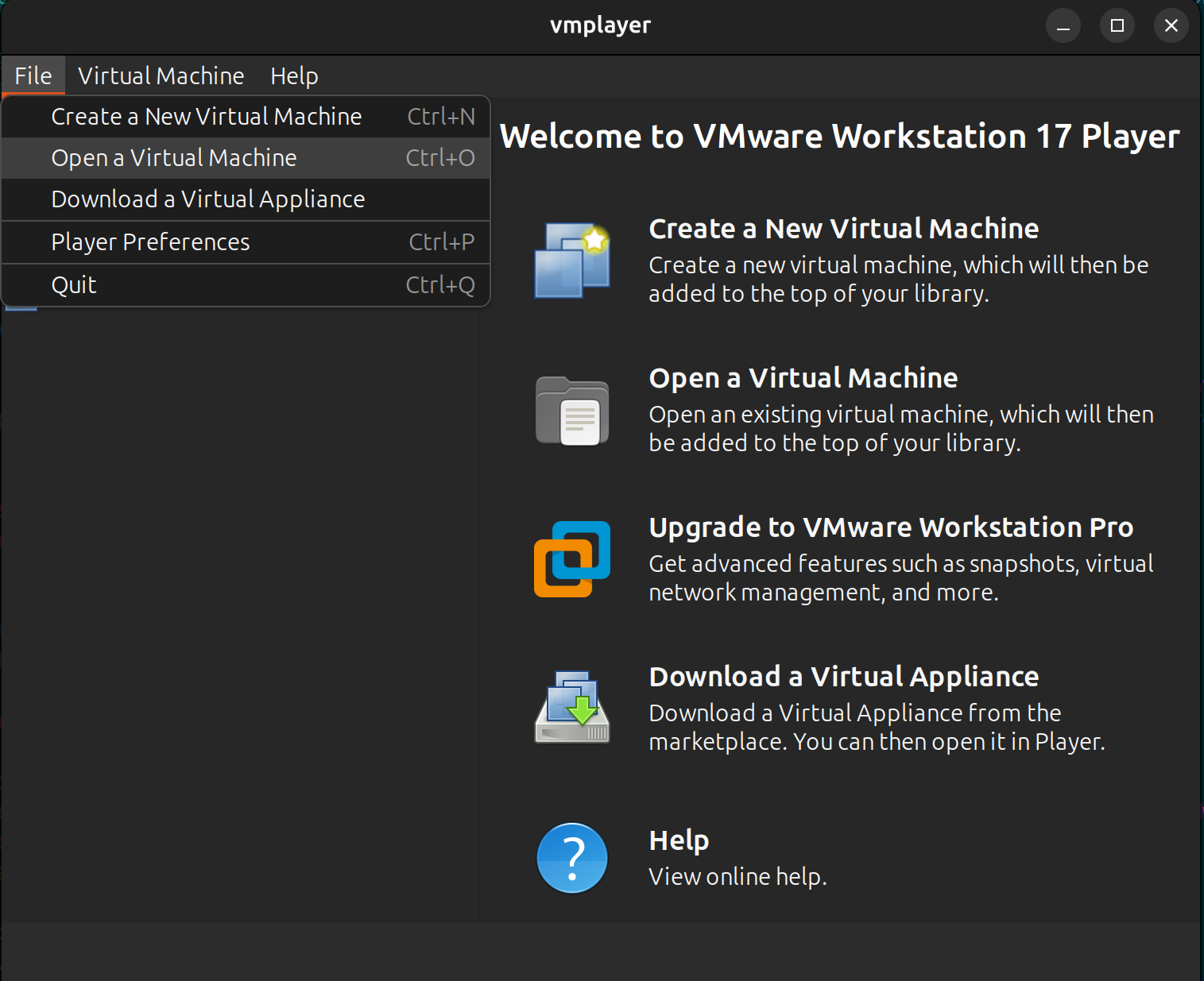
- Click on “Open a Virtual Machine” (or
- Configure Settings:
- Choose a name for the new virtual machine and a storage path.
- Click Import.
- Note: If prompted about OVF specification compliance, click “Retry” or “Relax” to proceed.
- Launch: Once the import is complete, select the new VM from the list and click “Power on this virtual machine”.
4. Default Login Credentials
After the system boots up, use the following credentials to log in:
| Account Type | Username | Password |
|---|---|---|
| System User | ndtwin | ndtwin |
| Root (Sudo) | root | ndtwin |
Note: For security reasons, we strongly recommend changing these passwords immediately after your first login using the
passwdcommand.