Install All Required Components on a Linux Server
Pre-flight Checks:
- Source Code: Ensure
NDTwin-Kernelis in your~/Desktop(or adjust paths below). - Compilation: Ensure
ndtwin_kernelexists inbuild/bin/(from Installation Manual). - Topology Script: Ensure
testbed_topo.pyexists (from Installation Manual).
Startup Order is Critical: Please execute Terminals 1 through 3 in the exact order listed below.
Terminal 1: Ryu Controller
- Purpose: Starts the SDN Logic.
- Environment:
ryu-env(Python 3.8).
conda activate ryu-env
# 'intelligent_router.py' is our custom controller app
ryu-manager intelligent_router.py ryu.app.rest_topology ryu.app.ofctl_rest --ofp-tcp-listen-port 6633 --observe-link
App Path Note: You can launch your custom app using an absolute path (recommended) or a relative path.
- Absolute path example: ~/ryu_apps/intelligent_router.py
- Relative path example: ./intelligent_router.py (if you cd into the folder first)
Terminal 2: Mininet Topology
- Purpose: Creates the virtual network and configures sFlow.
- Environment: System Native (Root).
# Start the custom topology script
sudo python3 testbed_topo.py
Note: After the topology starts, wait ~60 seconds to let the customized Ryu app finish host discovery and path installation (you will see “all-destination paths installed” message). Only then start launching NDTwin (backend/GUI), otherwise NDTwin may query Ryu before the topology is fully detected.
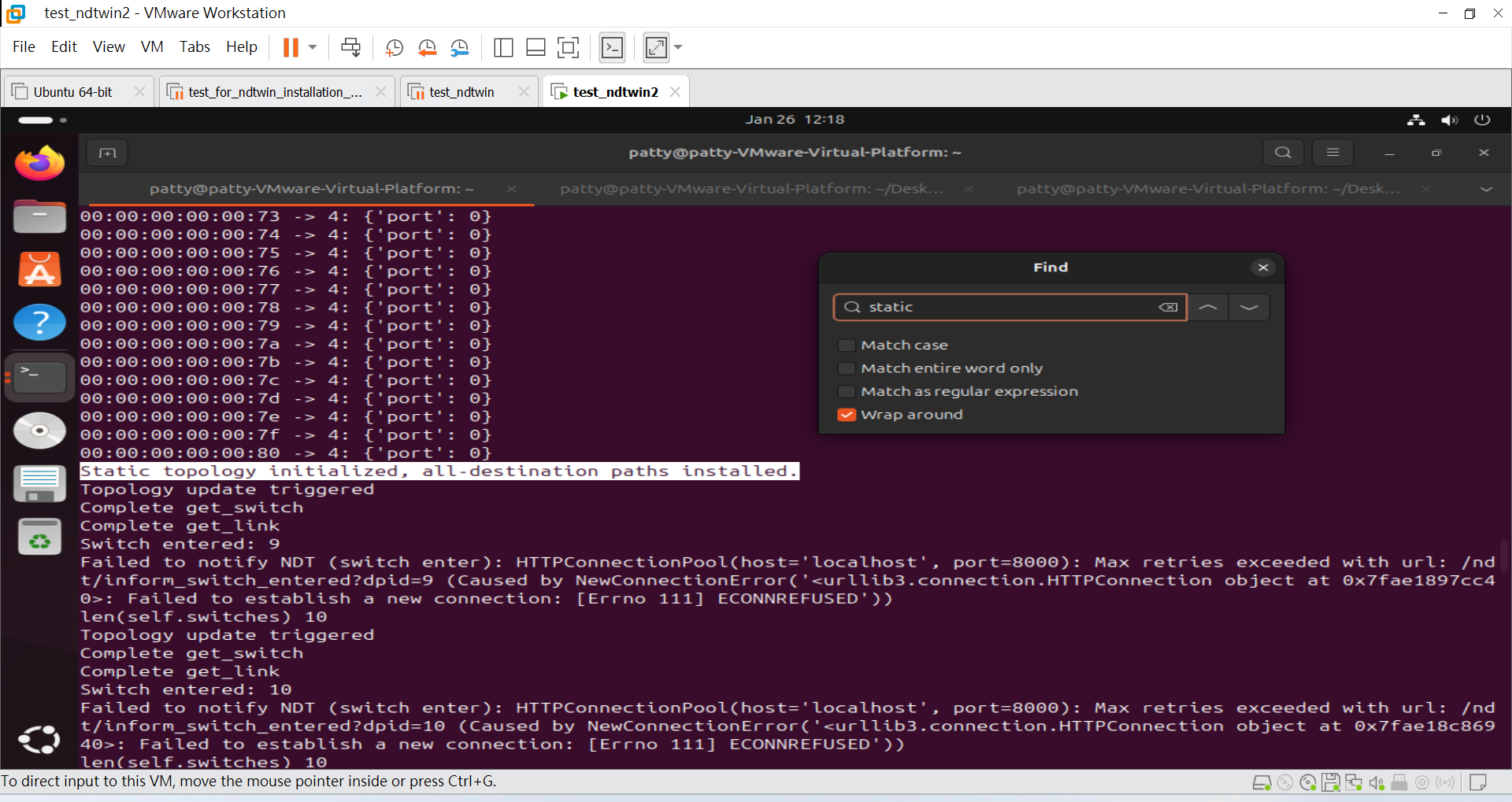
Note: If you want to restart Mininet and run the topology again, clean up the previous Mininet state first:
sudo mn -c
Terminal 3: NDTwin Kernel
- Purpose: Starts the NDTwin Kernel.
- Environment: System Native (Root).
cd ~/Desktop/NDTwin-Kernel/build

# Set API Key
# If you do not have a valid OpenAI API key, you can input any random string
# (e.g., "12345") to bypass the check. The system will run, but LLM features will be disabled.
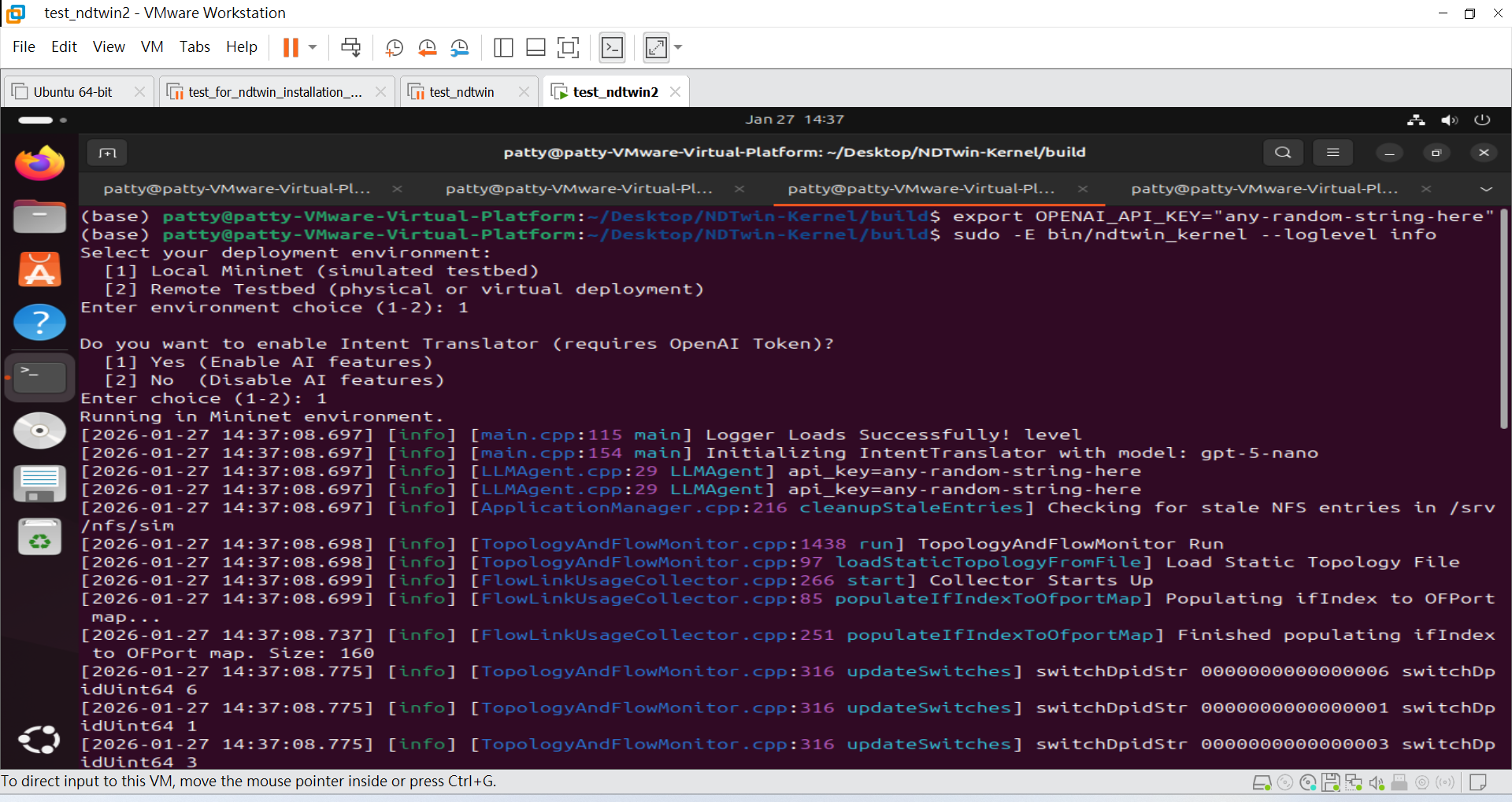
export OPENAI_API_KEY="any-random-string-here"

# Execute with sudo, preserving the environment variable (-E)
sudo -E bin/ndtwin_kernel --loglevel info
Generating Traffic (Validation)
To test if the system is working, you can generate traffic inside the Mininet CLI (Terminal 2).
- Start an iperf3 server on Host 1:
mininet> h1 iperf3 -s &
- Run a client on Host 2:
mininet> h2 iperf3 -c h1 -t 300
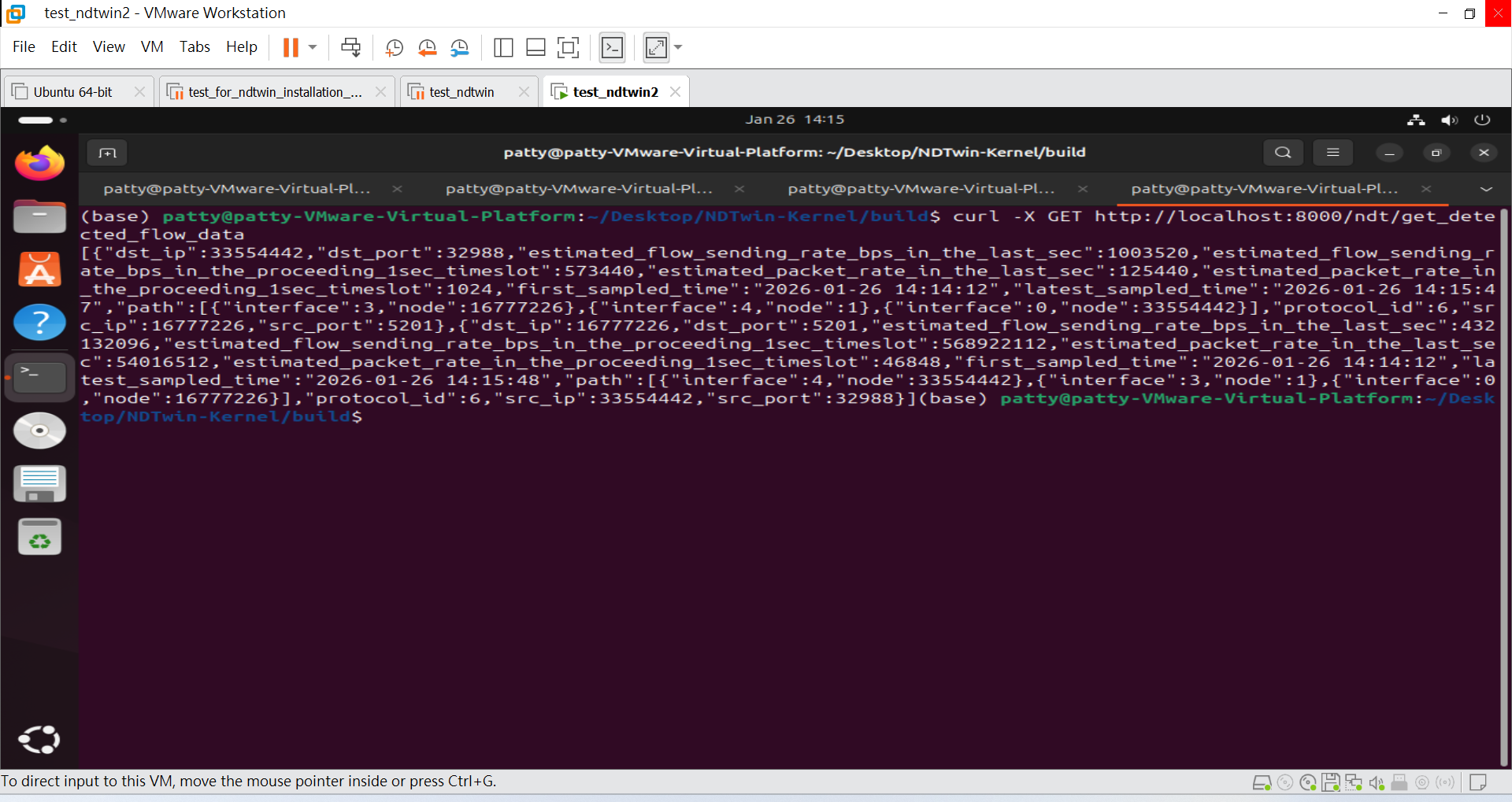
- Verify detected flow data (NDTwin API): Use the following command to query NDTwin and confirm whether flow data has been successfully captured/recorded by the system:
curl -X GET http://localhost:8000/ndt/get_detected_flow_data
Expected: The API returns a JSON response containing the currently detected flow records (or an empty list if no flows have been captured yet).
See more NDTwin API docs in NDTwin API.
Safe Shutdown Procedure
When finishing your experiment, please close the system in reverse order and perform cleanup to avoid errors in future runs:
- In Terminal 2 (Mininet), type
exitto quit the CLI. - The script will automatically remove the IP alias.
- Run a final cleanup command in Terminal 2:
sudo mn -c
- Close all other terminal windows.