Network Traffic Generator
Network Traffic Generator — User Manual
How to Use
Our NTG support path complete and syntax complete. Thus, you can use tab and arrow keys to type the command.
Syntax complete after typing fl.
 Can view supported command by
 tab.
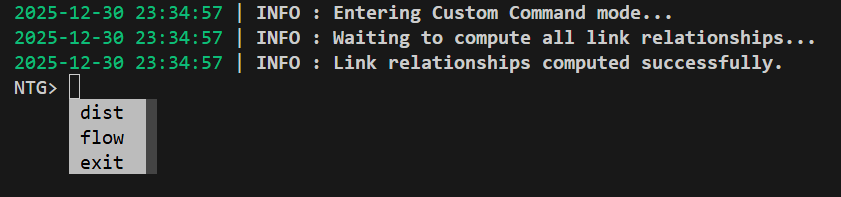 Can use
 arrow-down and enter to select the flow command.
 Path complete after
 --config and one space.
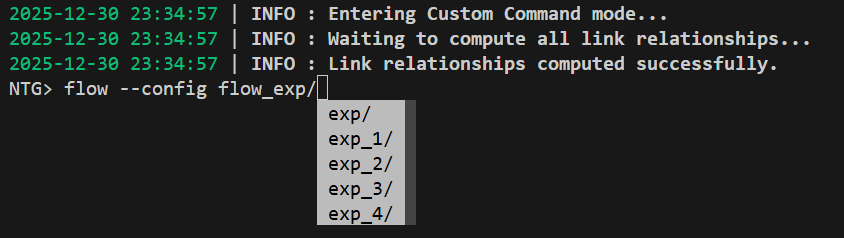
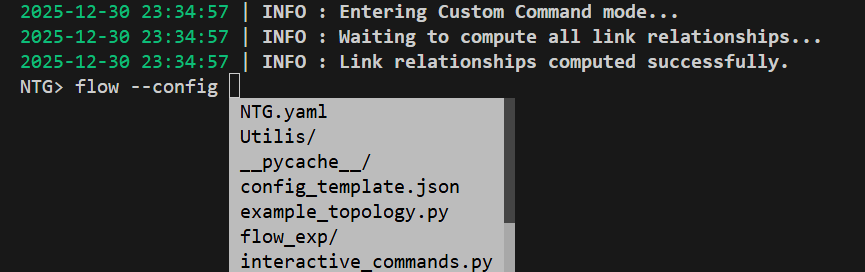 Still have path complete after the dir
 flow_exp/ was typed.
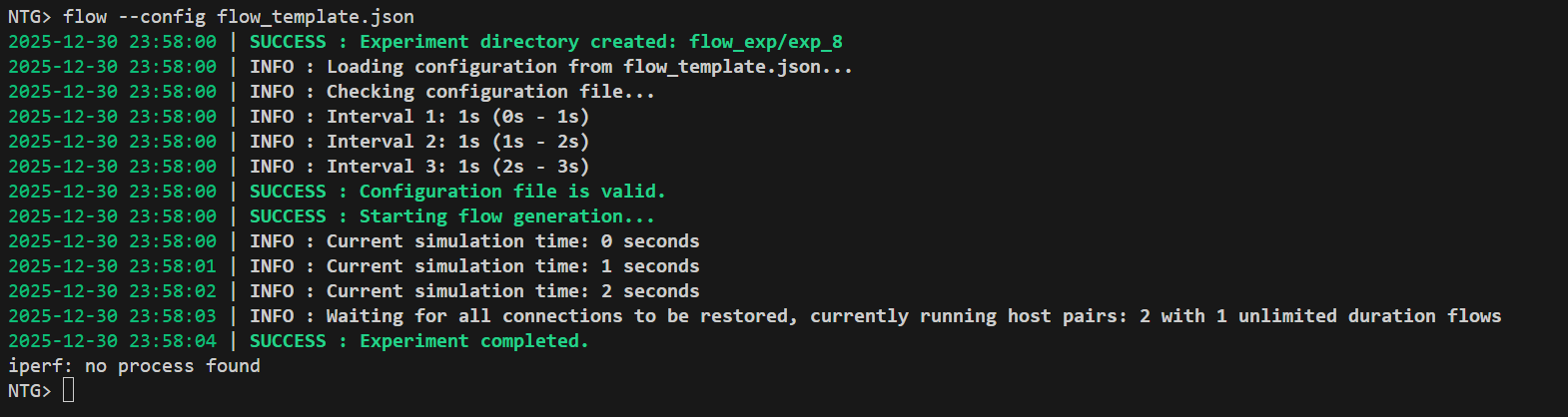
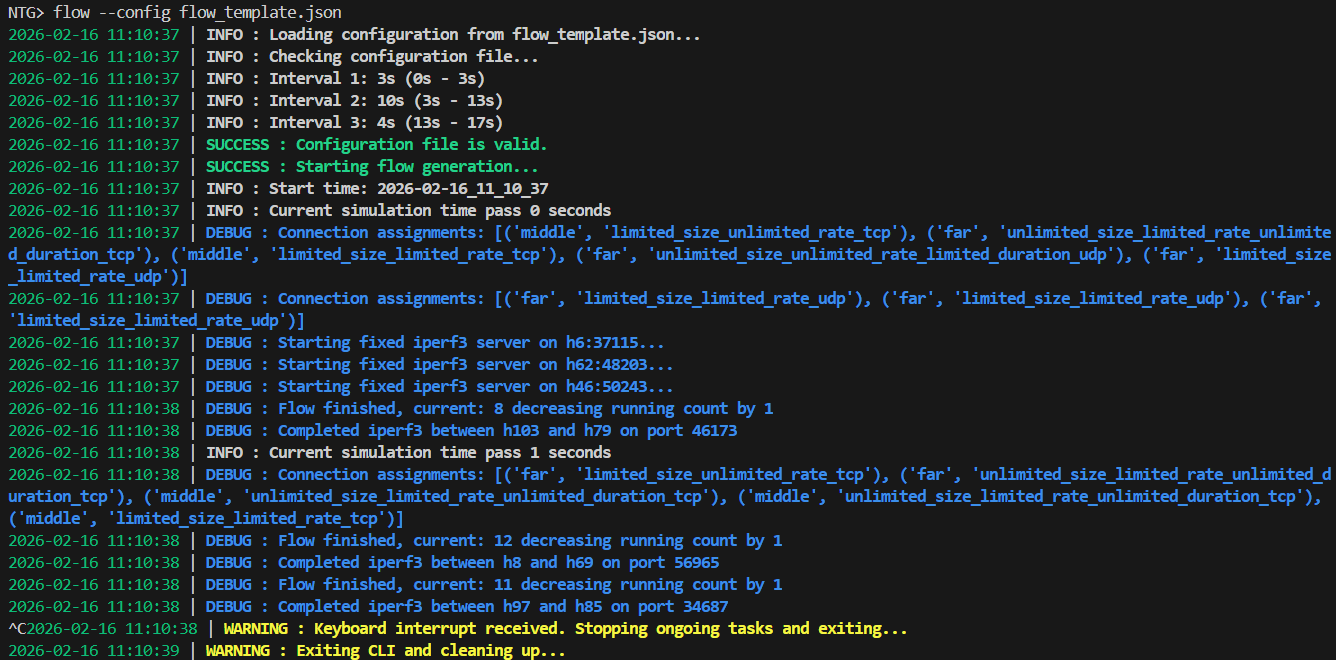
If your’e configuration file and command are correct, NTG will start generate flows as below:
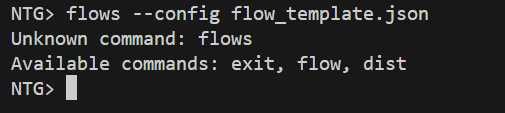
 However, If you have syntax error or configuration file error, it will show some error words as below:

Notice
- Our NTG do not support experiment interrupt. Thus, if you want to interrupt one running experiment, it will immediately shut down the NTG as below:
How to use NTG in Mininet
Pre-request
- You must have installed
Mininet,Ryu, andNDTwin. - You must have downloaded
NTGand move those files and directories into folders with Mininet topology file written inpython. - You must modify the
NTG.yaml’shost_fileinto./setting/Mininet.yamland parameters in./setting/Mininet.yaml.
Demonstrating Mininet topology
The code below is the snippet of testbed_topo.py in our NTG.
If you want to use you’re own topology, please follow the step below to change you’re topology code.
from mininet.topo import Topo
from mininet.net import Mininet
from mininet.cli import CLI
from mininet.node import RemoteController

# ===============
#   Skip codes
# ===============

if __name__ == "__main__":
  topo = MyTopo()
  net = Mininet(
        topo=topo,
        controller=RemoteController,
        switch=OVSKernelSwitch,
        link=TCLink,
        autoSetMacs=True,
    )
  # ===============
  #   Skip codes
  # ===============
  net.start()
  # ===============
  #   Skip codes
  # ===============
  CLI(net)
Start Up Process
- Modify the topology
pythoncode to importnetwork_traffic_generator.pyand replace Mininet’s CLI to our NTG’s CLI.
from mininet.topo import Topo
from mininet.net import Mininet
# from mininet.cli import CLI
from mininet.node import RemoteController

# ===============
#   Skip codes
# ===============

if __name__ == "__main__":
  topo = MyTopo()
  net = Mininet(
        topo=topo,
        controller=RemoteController,
        switch=OVSKernelSwitch,
        link=TCLink,
        autoSetMacs=True,
    )
  # ===============
  #   Skip codes
  # ===============
  net.start()
  # ===============
  #   Skip codes
  # ===============
  #   CLI(net)
  command_line(net,config_file_path="NTG.yaml")
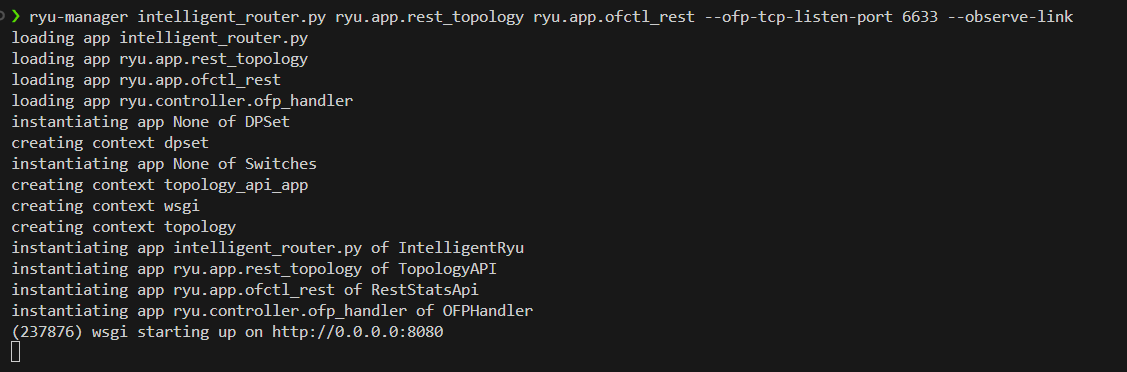
- Start the Ryu Controller in the first terminal.
ryu-manager intelligent_router.py ryu.app.rest_topology ryu.app.ofctl_rest --ofp-tcp-listen-port 6633 --observe-link
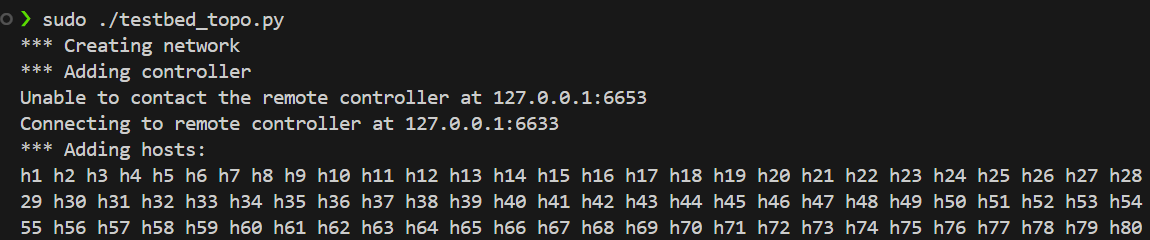
- Start the topology in the second terminal.
sudo ./testbed_topo.py
# Or you're custom topology.

# if unable to run testbed_topo.py
chmod +x ./testbed_topo.py
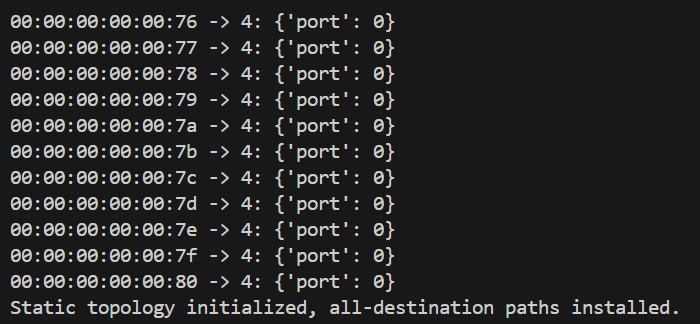
- Since NTG need some topology information from NDTwin, you need to wait for the Ryu Controller to install all flow rules into switches.
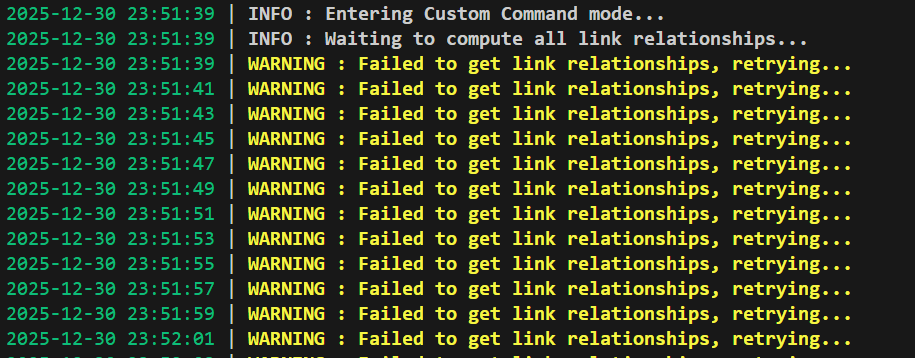
- Only when the terminal of Ryu Controller shows
all-destination paths installed.can you start the NDTwin. Typically, you need to wait about 1 minutes
- Start the NDTwin in the third terminal.
sudo -E bin/ndtwin_kernel --loglevel info
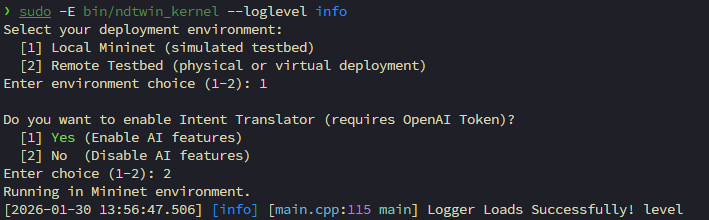
- Now, you can start using NTG

How to use NTG in Hardware
Pre-request
You must have installed
Ryu, andNDTwin.You must have downloaded
NTG.You must modify the
NTG.yaml’shost_fileinto./setting/Hardware.yamland parameters in./setting/Hardware.yaml.For hardware testbed, we use master and worker architecture to generate flows. Thus, you need to prepare some machines running in Linux and install python libraries as below and move
network_traffic_generator_worker_node.pyinto those machines:fastapiuvicorn(used to start the API server)pydanticloguruorjson(required byORJSONResponse)
pip install --upgrade pip
pip install fastapi "uvicorn[standard]" pydantic loguru orjson
Also, you need to make sure NTG can connect to those worker nodes.
Start Up Process
- Start the Ryu Controller
ryu-manager intelligent_router.py ryu.app.rest_topology ryu.app.ofctl_rest --ofp-tcp-listen-port 6633 --observe-link
- Start the NDTwin
sudo -E bin/ndtwin_kernel --loglevel info
- Start the NTG
python network_traffic_generator.py
- Manually Start worker node API servers on machines if the worker nodes do not start up correctly.
uvicorn network_traffic_generator_worker_node:app --host 0.0.0.0 --port 8000
- Now, you can use
NTGto generate flows.
Tips
- Ensure all
data.worker_node_serverURLs inHardware.yamlare reachable and the servers are running. - Keep
flow_distance_probabilityandflow_type_probabilityvalues normalized (sum to 1.0) for each section. - Validate parameter names and formats in
flow_parametersto match the selected types. - For multiple consecutive experiments, the tool resets internal state after completion.
- For one experiment, it will be ended only when all of flows, exclude flows with unlimited duration, are fininshed.
Troubleshooting
- If flows do not start:
- Confirm API servers are up, ports opened, and the
interactive_commands.pyprocess can reach them. - It may due to the CPU resources are not enough for you’re flow configurations. Please lower the
flow numbersor parameters to fix the question. - Since every iperf process will open one file and the number of opening file may be limited, the machine would be unable to run new iperf process when you have generated a huge amount of flows. Thus, you can change the
ulimits -norulimits -uto a higher values to solve the problem.
- Confirm API servers are up, ports opened, and the
- If Nornir inventory errors occur: double-check that
groupsis a YAML list and host keys/fields are correctly indented. - If
uvicornfails to start: verify your virtualenv and ensureuvicornis installed (pip install uvicorn fastapi).